How to Evaluate a Fortnite Cheat Before You Download It
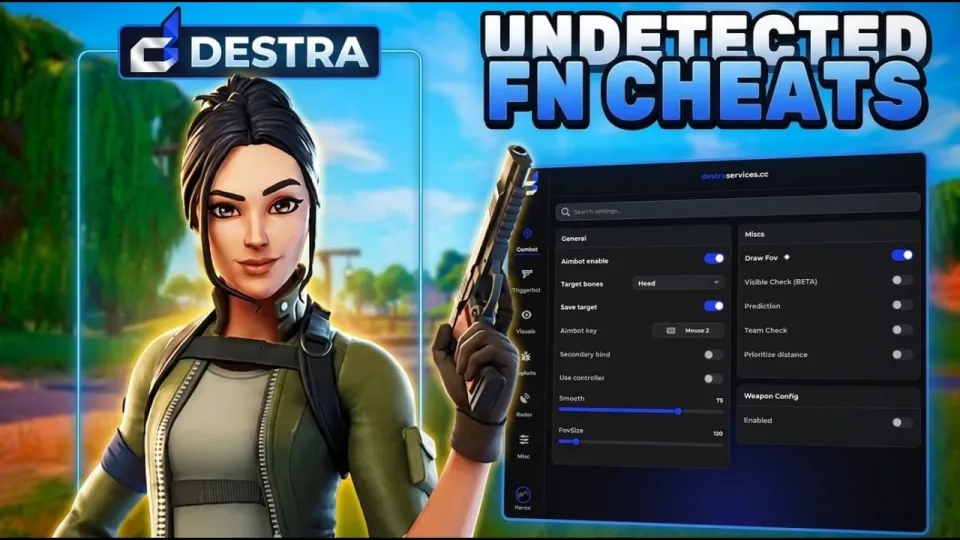
· based on the channel Big Teddee
A Fortnite cheat is third-party software that adds information overlays such as ESP and assisted aiming such as aimbot or softaim to the game client. Evaluating one properly means checking its feature list, its menu and configuration depth, its licensing model and the ban risk before you ever launch it on your main account. The cheat featured in Big Teddee's showcase is distributed through the Destra Services store, which is where the vendor lists the product, its pricing and its download.
What a Fortnite cheat menu actually contains
A modern Fortnite cheat menu is a single overlay with tabs, and the tab structure tells you more about the software than any feature list. The showcase video walks through the interface first, then ESP, then aimbot settings, then live gameplay, which is the standard order these products are demoed in.
Expect three core modules in almost every package sold today:
- ESP (Extra Sensory Perception) — draws information about other players on your screen: boxes, skeletons, names, distance, health and shield bars, and markers for loot, chests or vehicles.
- Aimbot — moves your crosshair toward a target when a key is held or toggled, with sliders for field of view, smoothing, target bone and prediction.
- Softaim — a deliberately toned-down aim assist that nudges the crosshair instead of snapping to it, intended to look more like human input.
Around those sit the utility options: a config system for saving and loading profiles, a stream-proof or screenshot-proof mode, hotkey binding, and colour or font customisation for the overlay.
ESP features worth checking before you buy
ESP is the module you will use in every match, so its granularity matters more than the aimbot's headline numbers. A thin ESP shows enemy boxes and nothing else; a full one lets you filter what appears on screen so the overlay stays readable during build fights.
Check for these specific options:
- Player ESP: 2D or 3D boxes, skeleton, name, platform icon, and a held-item or weapon readout.
- Distance scaling: boxes that fade or change colour with range, plus a maximum render distance so the screen is not cluttered.
- Visibility check: a separate colour for players behind walls versus in line of sight.
- Loot and objective ESP: chests, floor loot, ammo boxes, supply drops and vehicles.
- Team and self filters: the ability to hide teammates and your own model.
If a menu offers only a single on/off toggle for ESP, it is a minimal build. The rarer features are usually the ones tied to loot filtering and visibility state, because they require more work from the developer to keep accurate across game updates.
Aimbot and softaim settings that separate good builds from basic ones
Aimbot quality is defined by how much control the settings give you, not by how strong the default is. The configuration screen in the showcase covers the usual sliders, and those are exactly the fields to inspect in any trial.
Key parameters:
- FOV (field of view): the radius in pixels or degrees around the crosshair in which a target is acquired. Smaller values look more natural.
- Smoothness: how gradually the crosshair travels to the target. High smoothing reads as human movement; low smoothing reads as a snap.
- Target bone: head, neck, chest or nearest-bone selection.
- Prediction: lead adjustment for moving targets and projectile weapons.
- Humanisation: randomised delays, micro-jitter and a curve on the aim path.
- Trigger conditions: hold key, toggle, or auto-fire when the crosshair is on target.
Softaim sits between the two extremes and is usually a separate sub-tab with its own strength and activation key. A build that lets you save several aimbot profiles — one for close-range shotgun fights, one for AR spray — is more useful than one with a single global setting.
Licensing, updates and detection risk
Every Fortnite cheat carries a ban risk, and no vendor can honestly promise otherwise. Epic Games runs anti-cheat detection plus manual review of reported players, and bans are applied to the account, not the PC, so the practical rule is to never test unfamiliar software on an account you care about.
Before paying, confirm four things:
- Licensing model: monthly subscription, weekly, or lifetime, and how many PCs the key covers (usually tied to a hardware ID).
- Update cadence: how quickly the developer ships a build after a Fortnite patch. A cheat that is down for days after every update is a warning sign.
- Status channel: a Discord or status page where downtime and detection waves are announced.
- Payment and support: whether there is a refund policy and how support tickets are handled.
A stream-proof mode hides the overlay from capture software, but it does not hide the behaviour from server-side statistics. Sudden jumps in accuracy or headshot rate are what manual reviewers look at.
How to test a Fortnite cheat safely
Safe testing means limiting what you risk: a secondary account, a short session, and a settings review before the first match. The workflow below keeps the exposure small and tells you quickly whether the software is stable.
- Use a spare Epic account, never your main one with cosmetics and progress.
- Install on a clean Windows system, and check that the loader is signed and the vendor's file hash matches what is published.
- Launch the cheat before Fortnite, and confirm the overlay appears in the menu rather than mid-match.
- Spend the first session in Creative or a bot lobby, adjusting FOV, smoothing and ESP filters.
- Save a config, then test one public match with conservative settings.
- Note any stutter, crash or frame drop — a cheat that hooks the renderer can cost 10–20 FPS on mid-range hardware.
If the loader asks for your Epic credentials directly, stop: a legitimate overlay never needs your password.
Where to find the software and the community
The product shown in the breakdown is sold and supported through two official channels. Both links are worth opening before any purchase decision, because the store page carries the current pricing and the Discord carries the announcements.
- Store and product page: https://destraservices.cc/
- Community and support Discord: https://discord.gg/destraservices
Use the Discord to check recent user reports and the last update timestamp; a channel that has been quiet for weeks usually means the build is not being maintained.
Summary
A Fortnite cheat is worth judging on its menu depth — ESP filters, aimbot smoothing and humanisation, softaim strength and config saving — rather than on a feature count. The build covered by Big Teddee in his showcase follows the standard pattern: a tabbed overlay, a full ESP suite and a configurable aimbot with softaim as a separate mode. Remember that detection risk is real and account-level, so test on a spare account and read the vendor's update history first. For pricing, downloads and support, start at the Destra Services store and cross-check announcements in the Discord before you commit.
Key takeaways
- The Destra Services store (destraservices.cc) is the vendor page linked from the Big Teddee showcase video.
- The showcased Fortnite cheat menu is built around three pillars: ESP, aimbot and softaim.
- ESP typically covers player boxes, skeletons, distance readouts and item or loot markers.
- Aimbot settings worth checking include FOV, smoothness, target bone and visibility checks.
- Any Fortnite cheat carries a permanent ban risk on the account it is used on.
Questions & answers
What is the difference between aimbot and softaim in Fortnite cheats?
Aimbot moves the crosshair directly onto a target, usually with sliders for FOV, smoothing and target bone. Softaim applies a weaker nudge or magnet effect so the correction looks more like natural mouse movement. Softaim is less obvious on killcams but also less effective at long range.
Can a Fortnite cheat be undetected permanently?
No vendor can guarantee permanent undetection. Epic Games updates its anti-cheat and runs manual reviews of reported accounts, so every cheat carries a ban risk that grows over time. Treat any '100% undetected' claim as marketing and test only on an account you can afford to lose.
What should ESP settings include for a good Fortnite cheat?
Look for player boxes, skeletons, names, distance readouts, health and shield bars, a visibility check that separates visible from behind-wall targets, and loot filters for chests, ammo and drops. The ability to cap render distance and hide teammates keeps the overlay readable in build fights.
Where can I check pricing and updates for the cheat shown in the video?
The product is listed at https://destraservices.cc/, and update news, downtime notices and user reports are posted in the Discord at https://discord.gg/destraservices. Check the last update timestamp before buying to confirm the build is still maintained.
Source: This FORTNITE Cheat Has Some Seriously RARE Features! (Fortnite Cheats) · Markdown version